


You open your banking app on a Tuesday morning and notice something unpleasant: the electric bill was due on Sunday. You had the money. You simply forgot. Now there is a late fee, a small knot of stress, and a promise to yourself that this will not happen again.
If that sounds familiar, you are in good company. Most people in the United States juggle somewhere between eight and fifteen recurring bills: rent or a mortgage, utilities, phone, internet, car payment, insurance, streaming services, credit cards, student loans, and more. Each one has its own due date, its own payment portal, and its own way of reminding you (or not reminding you) that money is owed.
The fix is not a bigger paycheck or a better memory. It is a bill payment calendar: one simple, visual system that shows what is due, when to pay it, and which paycheck will cover it. In this guide, you will learn exactly how to create a bill payment calendar from scratch, how to match it to your pay schedule, and how to keep it working month after month without it becoming another chore.
What Is a Bill Payment Calendar?
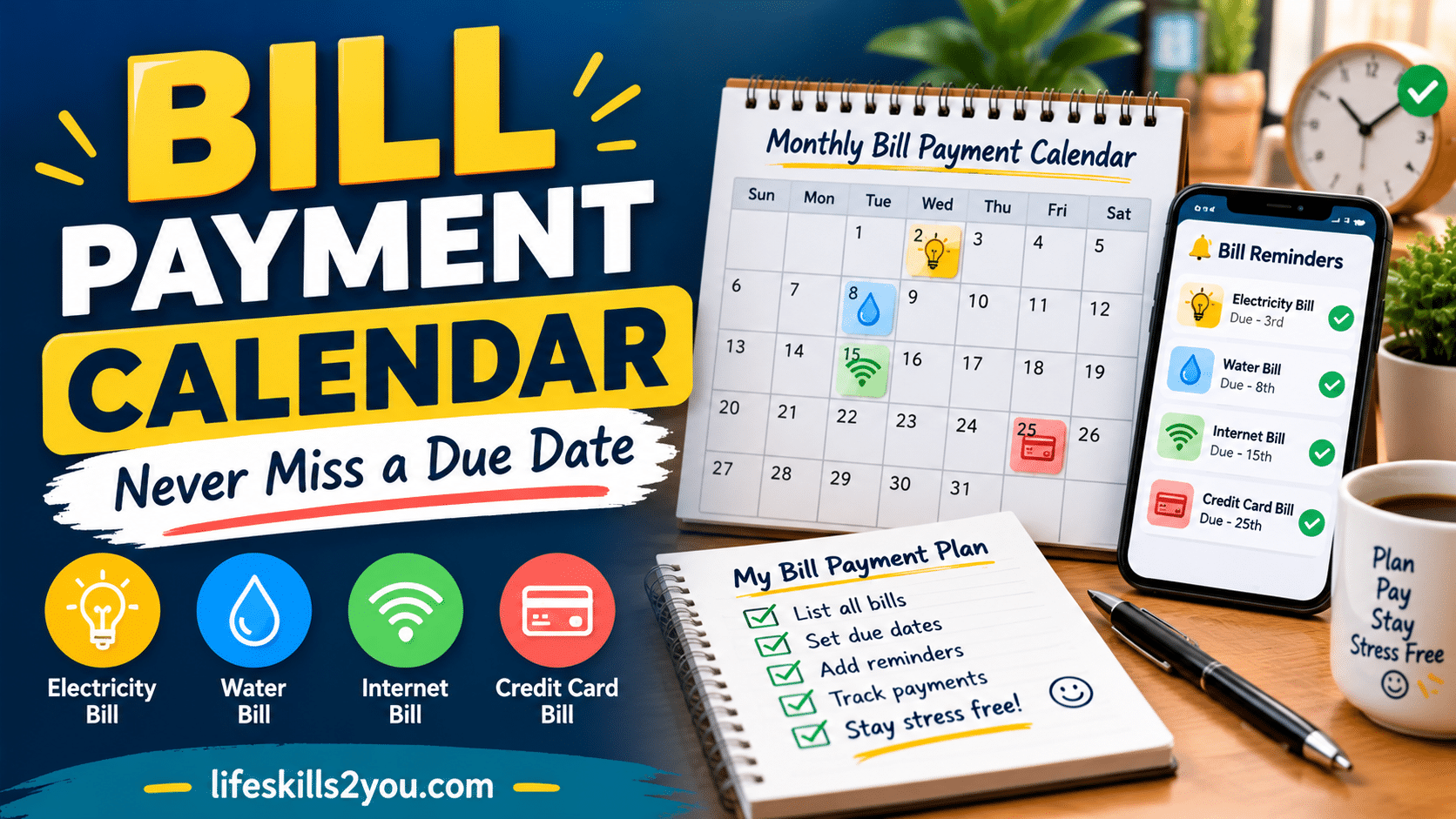
A bill payment calendar is a calendar (paper, spreadsheet, or digital) that shows every recurring bill you owe, the date each one is due, and the date you plan to pay it. Think of it as a map of your month’s money obligations.
It is different from a budget. A budget answers the question, “How much can I spend on each category?” A bill payment calendar answers a different and more urgent question: “What do I need to pay, and by when?” You can have a perfect budget and still pay late if you never look at due dates. You can also have no budget at all and still avoid late fees with a good calendar. Ideally, you use both, but the calendar is the easier one to start with, and it delivers results in the first month.
A good bill payment calendar has four features:
- Every bill in one place, so nothing hides in an email inbox or a drawer.
- Due dates and pay-by dates, which are not the same thing (more on that below).
- Your paydays, so you can see which paycheck covers which bill.
- A way to check off payments, so you never wonder, “Did I already pay that?”
Why a Bill Payment Calendar Works Better Than Memory or Autopay Alone
Many people rely on one of two strategies: remembering everything or setting up autopay for everything. Both have real weaknesses.
The problem with memory
Your brain is built for ideas, not for tracking a dozen due dates that fall on the 3rd, 8th, 14th, 21st, and 28th. Bills are also easy to forget because they feel invisible until they become urgent. Paper statements have mostly been replaced by email notifications, which are easy to miss in a crowded inbox.
The problem with autopay alone
Autopay is a great tool, and you should use it where it makes sense. But autopay without a calendar creates a different risk: the money has to be in your account on the day the payment pulls. If your rent autopay hits on the 1st but your paycheck lands on the 3rd, you may overdraft. If a utility bill is higher than usual in a cold winter month, the autopay can quietly drain money you needed for groceries. Autopay can also fail silently when a card expires or a bank account changes.
A bill payment calendar solves both problems. It gives you a clear picture of what is coming, so you can decide which bills to automate, which to pay manually, and whether the cash will be there when it is needed.
The real cost of missed payments
A late payment can cost you in several ways. There may be a late fee from the company. Your interest rate could rise on certain credit products. And if a payment is more than 30 days past due, the lender may report it to the credit bureaus, which can lower your credit score and make future loans, apartments, and even some jobs harder to get. A few minutes of planning each month is a small price to avoid all of that.
What You Need Before You Start
You do not need special software or financial training. Gather these items before you begin:
- Your last two to three months of bank and credit card statements
- Your email inbox, searched for words like “statement,” “invoice,” “bill,” and “payment due”
- Your pay stubs or a note of how often and on which dates you get paid
- A calendar tool of your choice (a printed monthly calendar, a spreadsheet, or a calendar app)
- About 45 minutes of uninterrupted time for the initial setup
Looking back at your statements is the most reliable way to catch bills you might forget, such as annual subscriptions or quarterly payments.
How to Create a Bill Payment Calendar in 7 Steps
Step 1: List every recurring bill
Start by writing down everything you pay regularly. Go through your bank and card statements line by line and note each recurring charge. Common categories include:
- Housing: rent or mortgage, renters or homeowners insurance, HOA fees, property taxes if not escrowed
- Utilities: electricity, gas, water, trash, internet, cell phone
- Transportation: car payment, auto insurance, registration, transit pass
- Debt: credit cards, student loans, personal loans, medical payment plans
- Subscriptions and memberships: streaming, gym, software, news, cloud storage
- Family and other: child care, tuition, support payments, pet insurance
Do not worry about being perfect. You will refine the list over the first couple of months. The goal is to capture at least 90 percent of what you owe.
Step 2: Record the due date, amount, and payment method for each bill
For every bill on your list, find three details: the due date, the amount (or the typical range if it varies), and how you pay it. Is it autopay from checking, a manual payment on the company’s website, a check in the mail, or a charge on a credit card?
For bills that change every month, such as electricity, write down the average of the last three months and mark it as “variable.” This gives you a realistic number to plan with.
Step 3: Add your paydays
This is the step most people skip, and it is the one that makes a bill payment calendar truly useful. Mark every payday on your calendar. How many you have depends on your pay schedule:
- Weekly: 52 paychecks a year
- Every two weeks (biweekly): 26 paychecks a year, which means two months each year contain three paychecks
- Twice a month (semi-monthly): 24 paychecks a year, usually on fixed dates like the 1st and 15th
- Monthly: 12 paychecks a year
- Irregular (freelance, gig, seasonal): pick a conservative estimate, or use the lowest-earning recent month as your guide
Once paydays are on the calendar, you can see at a glance where money arrives and where bills cluster. Many people discover that three or four large bills land in the same week, well before their next paycheck. That is a cash flow problem, and now you can see it coming.
Step 4: Set a “pay-by” date for every bill
A due date is the day the company must receive your payment. A pay-by date is the day you plan to act. They should not be the same.
A reliable rule of thumb is to set your pay-by date a few days before the due date. Online and card payments often post the same day, but bank transfers can take one to three business days, and mailed checks can take a week or more. Building in a buffer protects you from processing delays, website outages, and weekends or holidays when payments do not post.
Here is a simple guide:
- Online payment from your bank or card: pay 2 to 3 days early
- Mailed check: mail it at least 7 to 10 days early
- Autopay: confirm the funds are available the day before it pulls
Check your lender’s or provider’s cutoff times, too. Some companies only count a payment as on time if it is made before a specific hour, such as 5 p.m. Eastern.
Step 5: Match each bill to a paycheck
Now connect the dots. For each bill, decide which paycheck will cover it. The most practical method is to assign bills to the paycheck that arrives before the pay-by date.
For example, if you are paid on the 1st and 15th, you might assign rent, car insurance, and your phone bill to the 1st paycheck, and the electric bill, internet, and a credit card payment to the 15th. If one paycheck ends up carrying too many bills, look for ways to rebalance. Many utilities, lenders, and credit card companies will let you change your due date to a day that fits your pay schedule better, often with just a quick phone call or an online account setting.
If you are paid every two weeks, treat the two “extra” paycheck months as a bonus opportunity. Instead of spending that third check, use it to build an emergency fund, pay down debt, or cover annual bills.
Step 6: Choose your format
The best bill payment calendar is the one you will actually look at. Here are the most common options:
| Format | Best for | Watch out for |
|---|---|---|
| Paper wall or desk calendar | People who think visually and like physical checklists | Easy to forget when you are away from home |
| Spreadsheet (Excel or Google Sheets) | People who like control, formulas, and totals | Needs to be opened and updated regularly |
| Digital calendar (Google, Apple, Outlook) | People who already live in their phone calendar | Can get cluttered if mixed with work and social events |
| Bill tracking app | People who want automatic reminders and syncing | Linking accounts requires trust, so check privacy practices |
If you are not sure where to start, try a free Google Sheet with columns for bill name, amount, due date, pay-by date, payment method, paycheck, and “paid?” You can also create a separate calendar in your phone just for bills and color-code it so it stands out.
Step 7: Set reminders and schedule a weekly check-in
A calendar only helps if it nudges you at the right time. Set two reminders for each bill: one a few days before the pay-by date and one on the day itself. Most calendar apps let you create recurring events, so you only need to set this up once.
Then add a short weekly check-in. Pick a consistent time, such as Sunday evening or Friday lunch, and spend five minutes looking at the week ahead. Confirm that upcoming bills have enough money behind them, mark off payments you made, and note anything unusual. This tiny habit is what turns a calendar from a document into a system.
A Sample Bill Payment Calendar
To make this concrete, here is an example for someone who is paid on the 1st and 15th of each month. The amounts are illustrations only.
| Bill | Due date | Pay-by date | Amount | Method | Paycheck |
|---|---|---|---|---|---|
| Rent | 1st | 1st | $1,200 | Online transfer | 1st |
| Car insurance | 5th | 3rd | $110 | Autopay | 1st |
| Cell phone | 8th | 6th | $65 | Autopay | 1st |
| Student loan | 12th | 10th | $250 | Autopay | 1st |
| Credit card | 20th | 17th | $150 | Manual | 15th |
| Electric | 22nd | 19th | ~$90 | Manual | 15th |
| Internet | 25th | 23rd | $60 | Autopay | 15th |
| Streaming | 28th | 26th | $15 | Card | 15th |
Notice how the bills divide between the two paychecks. The first paycheck carries the heavier load because rent is large, so this person may choose to ask a few providers to move their due dates later in the month for a better balance.
How to Handle Tricky Bills
Not every bill fits neatly into a monthly slot. Here are the ones that usually cause trouble.
Annual and semi-annual bills
Car registration, insurance premiums paid twice a year, property taxes, professional dues, and yearly subscriptions can surprise you because they are large and infrequent. Add each one to your calendar on its due month, and set a reminder 30 days ahead. Better yet, divide the yearly amount by 12 and set that amount aside each month in a separate savings account, sometimes called a sinking fund. When the bill arrives, the money is already there.
Variable bills
Electricity, gas, water, and credit card balances change from month to month. Plan using the average or the highest recent amount, and update the real number once the statement arrives. In seasons with heavy heating or cooling, bump the estimate up.
Bills that fall on weekends or holidays
When a due date lands on a Saturday, Sunday, or federal holiday, some companies will accept payment the next business day, and others will not. Because rules differ, do not guess. Set your pay-by date for the last business day before the due date so you are always safe.
Shared bills
If you split rent or utilities with a roommate or partner, add a line for what each person owes and by when. Agree on one person to make the payment, and set a reminder for the other to send their share two or three days before the due date. Clear timing prevents most money tension in shared households.
Irregular income
If your income changes from month to month, build your calendar around the money you already have, not the money you expect. Pay the essentials first (housing, utilities, food, transportation, minimum debt payments), then schedule everything else as income arrives. Some freelancers and gig workers keep one month of bills in a buffer account so they are always paying from last month’s earnings.
Common Mistakes to Avoid
- Listing bills without paydays. A list of due dates is not a calendar. Without paydays, you cannot see timing gaps.
- Using the due date as the pay date. Leave a buffer so a processing delay does not turn into a late payment.
- Forgetting small and annual bills. A $9.99 subscription and a $400 yearly premium both belong on the calendar.
- Setting it up once and never updating it. An outdated calendar gives you false confidence, which is worse than having none. Review it every month.
- Automating everything without checking balances. Autopay is helpful, but it still needs money in the account.
- Ignoring the credit card due date versus the statement date. They are different. The statement date is when the balance is calculated, and the due date is when payment is required.
- Making it too complicated. If your system takes an hour a week, you will quit. Simple wins.
The 10-Minute Monthly Reset
Once your bill payment calendar is built, keeping it current takes very little time. At the start of every month, do this quick reset:
- Clear last month’s check marks and set up the new month.
- Update amounts for any variable bills using the latest statements.
- Add new bills or remove canceled ones, such as a new subscription or a paid-off loan.
- Look for crunch weeks where several bills fall before a paycheck, and plan ahead.
- Check upcoming annual bills in the next 60 days.
This ten-minute routine pairs well with a broader money habit, like reviewing your budget or tracking your spending. If you want to go further, our guide on life skills for financial success and our article on five financial life skills for young adults cover the next steps.
What to Do If You Have Already Missed a Bill
It happens to nearly everyone at some point. If you realize you missed a payment, take these steps right away:
- Pay it as soon as you can. The sooner you pay, the less damage a late payment can do.
- Contact the company. Explain what happened and ask whether they will waive the late fee, especially if you have a good payment history. Many will do it once, simply because you asked politely.
- Check how late it is. Payments that are less than 30 days past due are generally not reported to credit bureaus, though the company can still charge a fee. After 30 days, the impact on your credit can be significant.
- Fix the cause. Was it a forgotten date, a cash shortfall, or an autopay failure? Adjust your calendar, due dates, or reminders to prevent a repeat.
If you are struggling to cover your bills altogether, reach out to your lenders and utility providers before you fall behind. Many offer hardship programs, payment plans, or due-date changes. A nonprofit credit counseling agency can also help you build a plan, so look for one affiliated with a recognized national association.
Frequently Asked Questions
How far ahead should I plan my bill payment calendar?
Plan at least one month ahead in detail, and glance at the next two to three months for large or annual bills. Many people find it helpful to review the full year once, noting every annual and semi-annual payment.
Should I put every bill on autopay?
Not necessarily. Autopay is best for fixed bills with a predictable amount, like rent, insurance, and loan payments. For variable bills, such as utilities and credit cards, consider paying manually or setting autopay for the minimum only, so you still review the statement. Either way, keep a cushion in your checking account.
What is the best tool for a bill payment calendar?
The best tool is the one you will check. A free spreadsheet is flexible and powerful. A phone calendar is convenient and gives you reminders. A printed calendar on the fridge works well for households that share bills. Start simple and switch later if you need to.
Can I change my bill due dates?
Often, yes. Many credit card issuers, lenders, utilities, and phone carriers allow you to move the due date to match your payday. Look in your online account settings or call customer service. It is one of the easiest ways to smooth out cash flow.
How is a bill payment calendar different from a budget?
A budget plans how much you will spend in each category over a period of time. A bill payment calendar shows when specific payments are due and which paycheck will cover them. They work best together: the budget tells you how much, and the calendar tells you when.
How long does it take to set up?
Most people can build their first version in 30 to 45 minutes. After that, a weekly five-minute check and a monthly ten-minute reset are enough to keep it accurate.
Final Thoughts
Paying bills on time is not about being naturally organized or having a high income. It is about building a simple system that does the remembering for you. A bill payment calendar gives you that system. It shows you what is due, helps you pay on time, and removes the low-level anxiety of wondering whether something slipped through the cracks.
Start today. Set aside 45 minutes, list your bills, mark your paydays, and choose pay-by dates with a safe buffer. Then add reminders and a weekly check-in. Within a month or two, the routine will feel automatic, and the surprise of a missed due date will be a thing of the past.
This article is for general educational purposes and is not personalized financial advice. Due dates, fees, and credit reporting practices vary by company, so check the terms of each account.