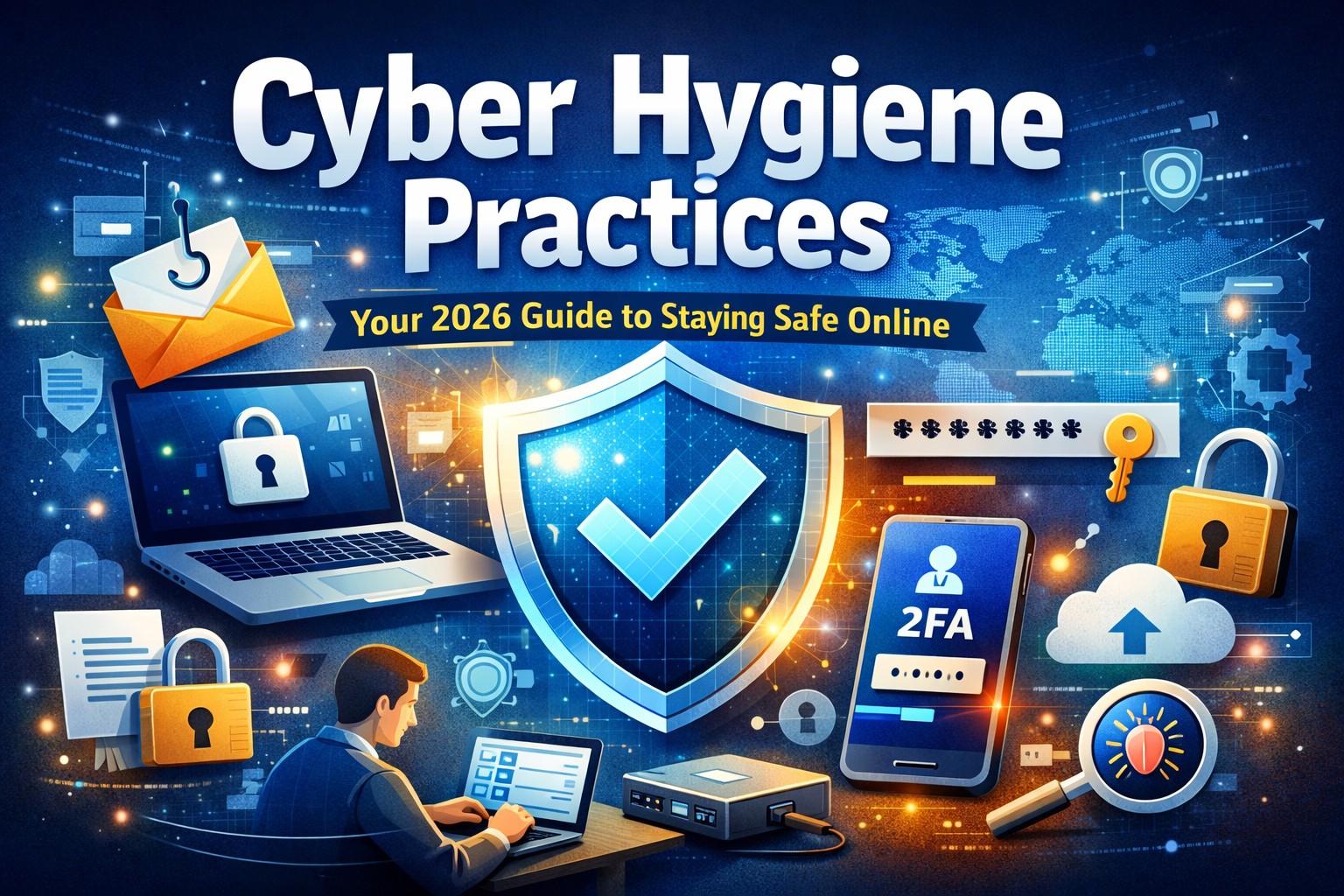
Cyber Hygiene Practices: Your Safety Guide

🌍 Why Cyber Hygiene Is No Longer Optional

A few months ago, during one of my training sessions with rural entrepreneurs, a participant shared something that stayed with me.

“Sir, I didn’t even know my phone could be hacked… I just clicked a link.”

That one click cost her access to her WhatsApp business account, customer trust, and weeks of stress due to non following Best Cyber Hygiene Practices.

This is the reality of 2026.

Cyber threats are no longer targeting just big corporations. They are targeting people like you and me—trainers, students, small business owners, homemakers.

And the truth is:
👉 You don’t need to be a tech expert to stay safe.
👉 You just need Cyber Hygiene.


🧠 What Is Cyber Hygiene? (Simple Explanation)

Cyber hygiene refers to daily habits and practices that keep your digital devices, data, and identity safe from cyber threats.

Think of it like brushing your teeth:

  • You don’t wait for a cavity
  • You prevent it daily

Similarly:

  • Cyber hygiene prevents hacking, fraud, and data theft before it happens

🧠 Understanding Cyber Hygiene in a Deeper Way

When people first hear the term cyber hygiene, a few natural questions come to mind:

  • What exactly does it include?
  • How many practices should I follow?
  • Is it really similar to personal hygiene?

Let’s break this down in a simple, practical way.


🔐 What Are Cyber Hygiene Practices?

Cyber hygiene practices are daily digital habits that protect your devices, data, and identity from cyber threats.

Just like brushing your teeth prevents cavities, these practices prevent:

  • Data theft
  • Hacking
  • Financial fraud
  • Privacy breaches

From my experience as a trainer, I’ve noticed one pattern:

“People don’t get hacked because they lack knowledge…
They get hacked because they ignore small daily precautions.”


🛡️ The 5 Most Important Cyber Hygiene Practices

If you feel overwhelmed, start with these 5 powerful habits:

1. Use Strong and Unique Passwords

Avoid using the same password everywhere. One breach can expose everything.

2. Enable Two-Factor Authentication (2FA)

This simple step blocks most unauthorized access.

3. Keep Your Devices Updated

Updates fix hidden security weaknesses.

4. Stay Alert to Phishing

Think before you click—especially emails and unknown links.

5. Backup Your Data Regularly

Because prevention is good—but recovery is essential.

Useful: Back up or restore data on your Android device

👉 In real-life training sessions, I’ve seen that people who follow just these 5 habits are already 80–90% safer than others.


📜 The 11 Rules of Cyber Hygiene (Your Complete Safety Framework)

If you want to go beyond basics, follow these 11 rules that create a strong digital defense system:

  1. Use strong, unique passwords
  2. Enable two-factor authentication
  3. Keep systems and apps updated
  4. Install trusted security software
  5. Avoid suspicious links and downloads
  6. Use secure Wi-Fi networks
  7. Backup data regularly
  8. Limit sharing personal information online
  9. Log out from shared devices
  10. Monitor account activity
  11. Stay informed about new cyber threats

👉 Think of these as your daily digital discipline checklist.


🔄 Cyber Hygiene vs Personal Hygiene: A Powerful Analogy

To truly understand cyber hygiene, let’s connect it with something we already practice daily—personal hygiene.

🚿 7 Essential Personal Hygiene Practices:

  • Washing hands regularly
  • Daily bathing
  • Brushing and flossing teeth
  • Wearing clean clothes
  • Maintaining nail hygiene
  • Keeping hair clean
  • Practicing safe food hygiene

Now here’s the insight most people miss:

👉 You don’t wait to fall sick to start hygiene
👉 Similarly, you shouldn’t wait to get hacked to start cyber hygiene


⚠️ My Biggest Mistake (And What It Taught Me)

Early in my career, I reused the same password across multiple platforms.

One day, I received a login alert from an unknown location.
Turns out, a small website I had signed up for got breached—and my password leaked.

Because I reused it:
➡️ My email was compromised
➡️ My Youtube Channel was hacked
➡️ My social accounts were at risk

That day, I realized:

“Convenience is the biggest enemy of digital safety.”


🛡️ Top Cyber Hygiene Practices You MUST Follow (2026)

1. 🔑 Use Strong & Unique Passwords

✅ Best Practices:

  • Minimum 12–16 characters
  • Mix of letters, numbers, symbols
  • Avoid names, birthdays, or “123456”

💡 Pro Tip:

Use a password manager instead of remembering everything.


2. 🔐 Enable Two-Factor Authentication (2FA)

Even if your password is stolen, 2FA acts as a second lock.

Examples:

  • OTP on phone
  • Authentication apps

👉 This single step can block 90% of attacks


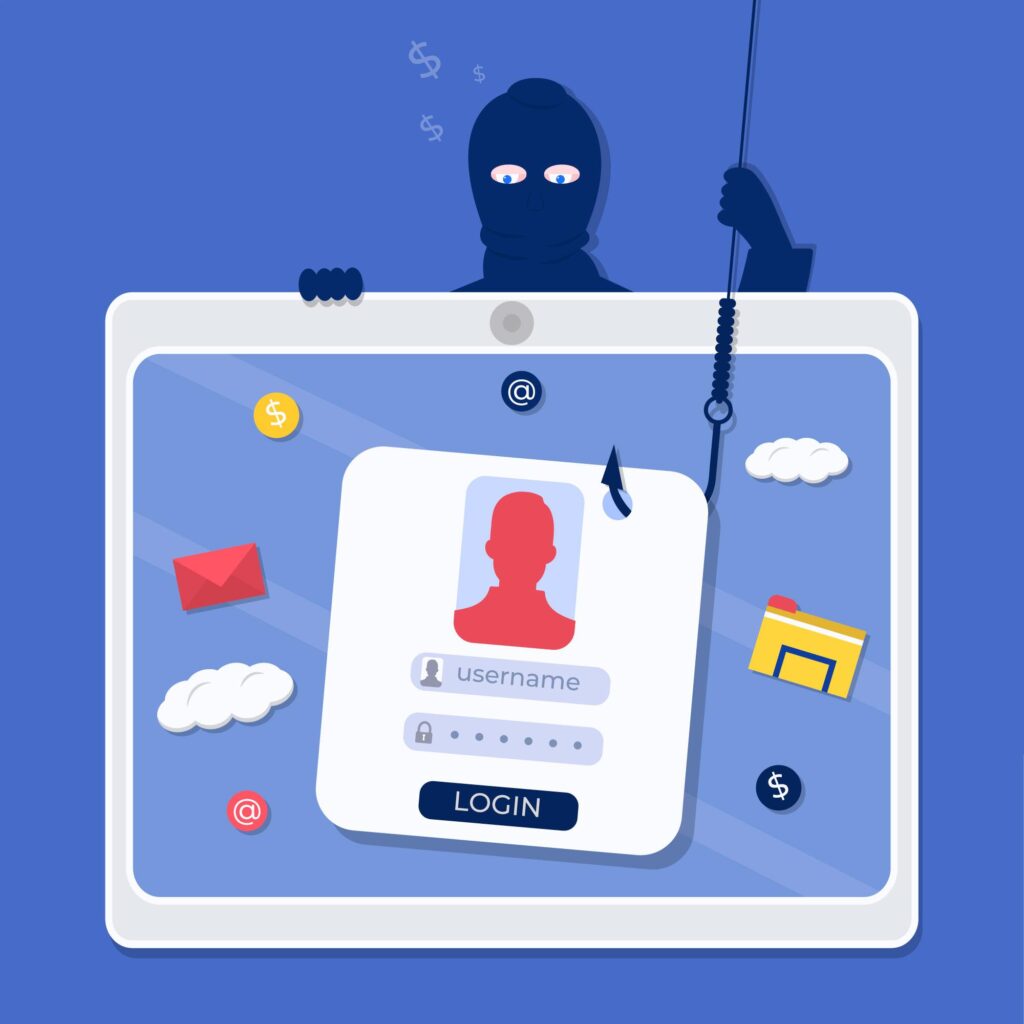
3. 📩 Be Alert to Phishing Scams

🚨 Warning Signs:

  • “Urgent action required”
  • Unknown sender
  • Suspicious links

Real Example:

A trainee clicked a “bank update” email link—lost money within minutes.

👉 Always verify before clicking.


4. 🔄 Keep Software & Apps Updated

Updates are not just for features—they fix security vulnerabilities.

✔️ Turn on auto-updates
✔️ Update mobile apps, operating systems, and antivirus


5. 🌐 Use Secure Networks Only

Avoid:
❌ Public Wi-Fi for banking or payments

If necessary:
✔️ Use VPN
✔️ Avoid logging into sensitive accounts


6. 📂 Backup Your Data Regularly

✔️ Follow 3-2-1 Rule:

  • 3 copies of data
  • 2 different storage types
  • 1 offsite/cloud backup

7. 📱 Lock Your Devices

  • Use PIN / fingerprint / face lock
  • Enable auto-lock

👉 Most data theft happens from unlocked devices


📊 Quick Cyber Hygiene Checklist

PracticeFrequencyImpact
Change passwordsEvery 3–6 monthsHigh
Update softwareWeekly / AutoHigh
Backup dataWeeklyVery High
Scan for threatsMonthlyMedium
Review accountsMonthlyHigh

🧩 Cyber Hygiene in Daily Life (Practical Example)

Morning:

  • Unlock phone with biometric security
  • Check emails carefully

Afternoon:

  • Use secure network for transactions

Evening:

  • Backup important files

👉 Cyber hygiene is not extra work—it’s a daily mindset


🧠 Expert Insight

“Cybersecurity is much more than a matter of IT.”
— Stephane Nappo, Global Chief Information Security Officer

👉 It’s about behavior, awareness, and habits—not just technology.


💡 Final Thought: Your Digital Life Deserves Protection

Cyber hygiene is not about fear.

It’s about control, awareness, and responsibility.

Every click you make…
Every password you set…
Every link you open…

👉 Shapes your digital safety.

“The safest people online are not the smartest…
They are the most disciplined.”


👨‍🏫 About the Author

Sharad Pawar
Freelance Trainer | Life Skills Expert | Founder of www.lifeskills2you.com

With years of experience training individuals and communities—including rural entrepreneurs and SHG groups—Sharad simplifies complex topics like digital safety, communication, and personal development into practical, real-life skills.

Mission: Empower people with knowledge that protects and transforms lives.


📚 References & Credible Sources

  • National Cyber Security Centre (NCSC)
  • Cybersecurity & Infrastructure Security Agency (CISA)
  • IBM Cyber Security Intelligence Reports
  • Norton Cyber Safety Insights Report

❤️ One Line to Remember

“Cyber hygiene is not a one-time action—it’s a daily habit that protects your future.”


FAQ’s on Cyber Hygiene Practices

1. Why is cyber hygiene important in daily life?

Cyber hygiene is important because it protects your personal data, financial information, and digital identity from cyber threats like hacking, phishing, and fraud. In today’s digital world, even small mistakes can lead to serious consequences.

2. What happens if you ignore cyber hygiene?

Ignoring cyber hygiene can result in:
Data breaches
Identity theft
Financial loss
Loss of personal or business reputation
👉 One weak password or careless click can compromise multiple accounts.

3. How can beginners start practicing cyber hygiene?

Beginners can start with simple steps:
Create strong passwords
Enable two-factor authentication
Avoid suspicious links
Keep devices updated
👉 Start small, but stay consistent.

4. What is the difference between cybersecurity and cyber hygiene?

Cybersecurity refers to tools and technologies used to protect systems
Cyber hygiene refers to daily habits and practices followed by users
👉 Cyber hygiene is the human side of cybersecurity.

5. Are cyber hygiene practices different for individuals and businesses?

The basic practices are similar, but businesses require:
1. Employee training
2. Data access control
3. Advanced security systems
👉 Individuals focus on personal safety, while businesses focus on organizational protection.

6. How often should I update my passwords and software?

1. Passwords: Every 3–6 months
2. Software: Enable automatic updates or check weekly
👉 Regular updates fix security vulnerabilities.

7. Can cyber hygiene prevent all cyber attacks?

No, but it can prevent most common attacks (up to 80–90%).
👉 Good habits significantly reduce risk.

8. What are common examples of poor cyber hygiene?

Using the same password everywhere,
Clicking unknown links,
Ignoring software updates,
Using public Wi-Fi for sensitive transactions.
👉 These small mistakes are the biggest causes of cyber incidents.

9. Is cyber hygiene important for mobile users?

Yes, mobile devices are highly vulnerable because they store personal data and are always connected to the internet.
👉 Always:
1. Lock your phone
2. Update apps
3. Avoid installing unknown apps

10. How can I teach cyber hygiene to others?

You can:
1. Conduct awareness sessions
2. Share real-life examples
3. Demonstrate simple practices
4. Encourage habit-building
👉 Education is the strongest defense against cyber threats.
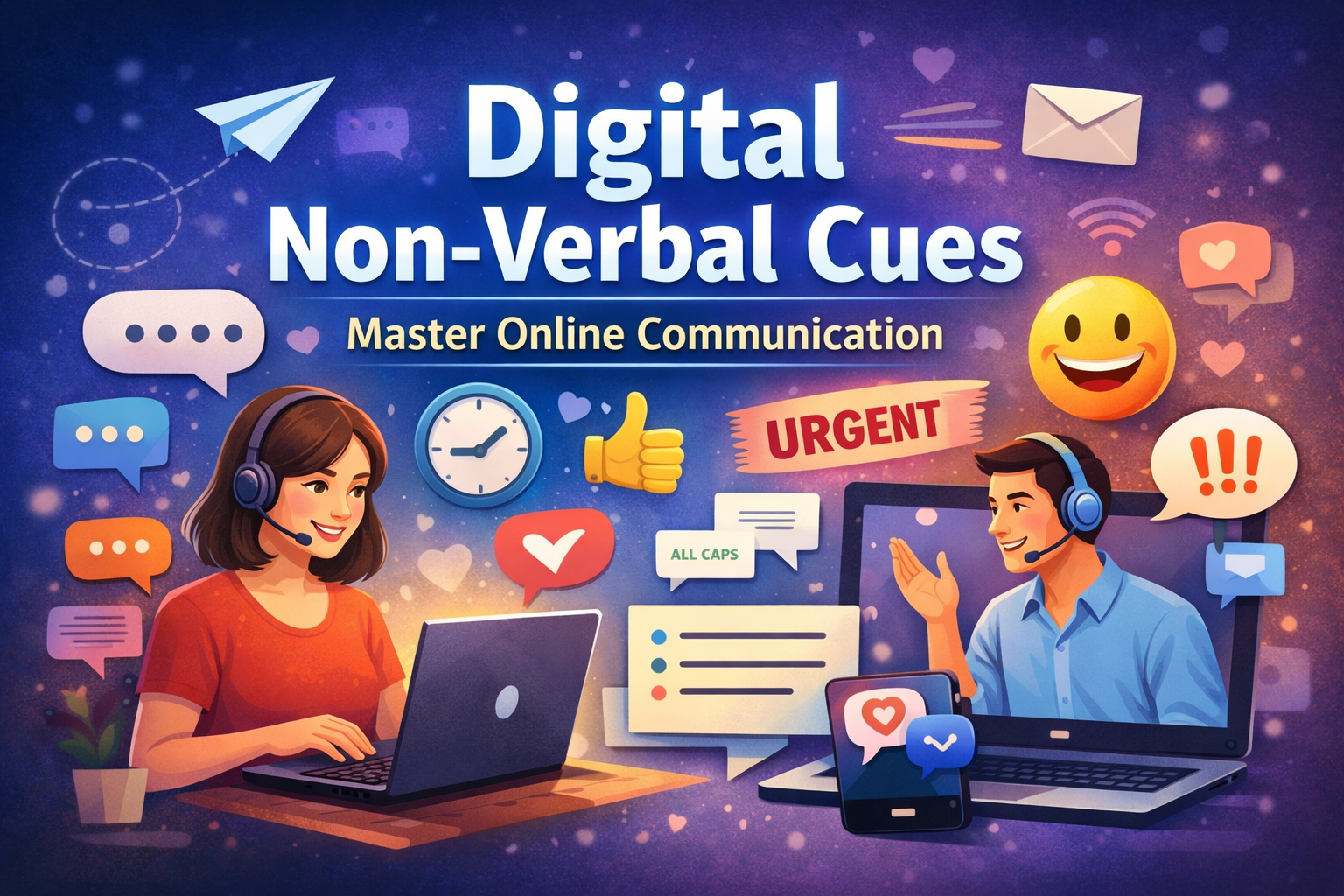
Your Guide to Digital Non-Verbal Cues

The Silent Language of the Digital World

Have you ever sent a simple message like “Okay.” and instantly worried… Did I sound rude? Was I too cold?

Welcome to the world of Digital Non-Verbal Cues—the invisible signals that shape how your words are felt, not just read.

In face-to-face communication, we rely heavily on body language, tone of voice, eye contact, and gestures. But what happens when communication shifts to screens? Emails, WhatsApp messages, Zoom calls, Slack chats—suddenly, the physical cues disappear. Yet, communication doesn’t become neutral. Instead, it evolves.

That’s where Digital Non-Verbal Cues come into play.

These cues include typing speed, punctuation, emoji use, message timing, capitalization, formatting, and even silence. They silently convey emotions, intent, authority, and relationship dynamics. In fact, according to research in communication psychology, over 60% of perceived meaning in communication comes from non-verbal elements—even in digital spaces, our brains try to fill in the gaps.

As a trainer and communication coach, I’ve seen countless professionals struggle not because of what they said—but how it was interpreted digitally. One corporate leader I worked with nearly damaged a key client relationship simply because his short, abrupt emails were perceived as dismissive.

This guide will help you understand, decode, and master Digital Non-Verbal Cues so you can:

  • Build stronger relationships online
  • Avoid misunderstandings
  • Communicate with clarity and emotional intelligence
  • Increase your professional influence

“In the digital world, how you say it matters more than what you say.”

Let’s dive into this powerful, often overlooked skill.


Step1: Understanding Digital Non-Verbal Communication

What Are Digital Non-Verbal Cues?

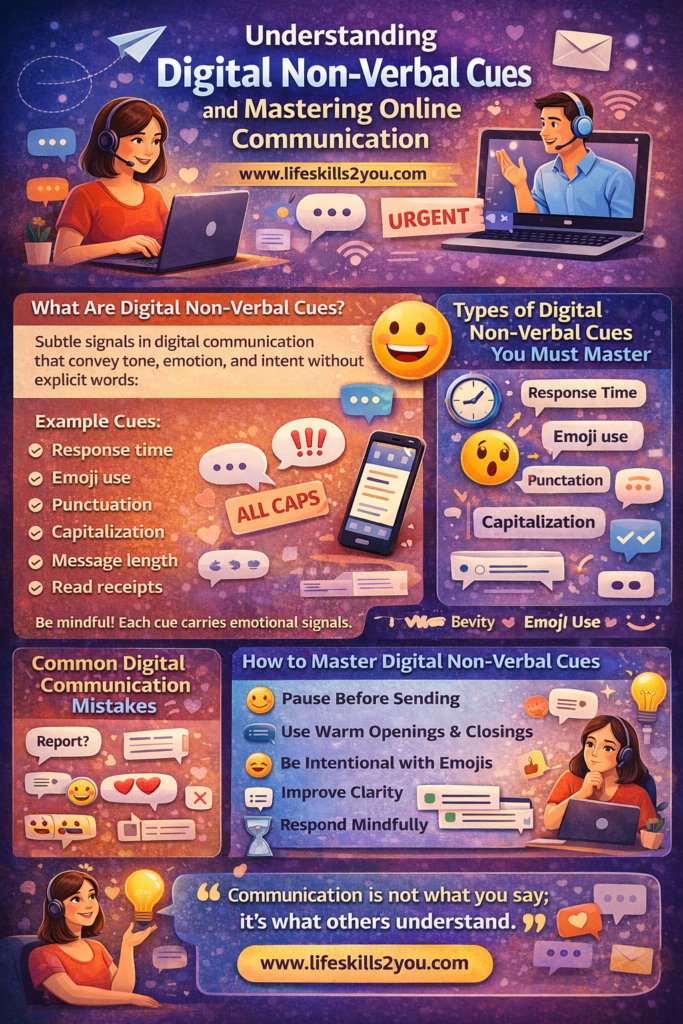
Digital Non-Verbal Cues are the subtle signals embedded in digital communication that convey tone, emotion, and intent without explicit words.

Examples of Digital Non-Verbal Cues

  • Message length (short vs detailed)
  • Response time
  • Use of emojis 😊
  • Punctuation (!!! vs .)
  • Capitalization (ALL CAPS = shouting)
  • Formatting (bold, spacing, bullet points)
  • Read receipts and seen indicators

These are part of digital body language, a concept widely discussed in modern communication psychology and highlighted in research from platforms like Harvard Business Review on virtual communication effectiveness.


Why Digital Non-Verbal Cues Matter More Than Ever

In today’s remote and hybrid work culture, Digital Non-Verbal Cues are often the only signals people rely on.

Psychological Impact

Our brains are wired to interpret tone and emotion. When cues are missing, we:

  • Assume negative intent
  • Misinterpret neutrality as rudeness
  • Fill gaps based on past experiences
Key Insight

Silence in digital communication is not neutral—it is interpreted.


Step2: Types of Digital Non-Verbal Cues You Must Master

1. Timing as a Communication Signal

Response Time Matters

  • Immediate reply → Interest, urgency
  • Delayed reply → Disinterest or disrespect

Real-Life Example 1

A manager I coached delayed responses to team messages. Employees assumed he was ignoring them, leading to disengagement. Once he improved response timing, team morale improved significantly.


2. Punctuation and Tone

The Power of a Period

  • “Thanks.” → Cold
  • “Thanks!” → Warm
  • “Thanks 😊” → Friendly
Micro-differences, massive impact

These subtle Digital Non-Verbal Cues can completely change emotional interpretation.


3. Emojis and Emotional Context

Emotional Amplifiers

Emojis act as tone indicators:

  • 😊 → Friendly
  • 👍 → Agreement (or sometimes passive acknowledgment)
  • 😐 → Neutral or awkward

Real-Life Example 2

A client used “👍” frequently. His team perceived it as dismissive. Switching to short responses improved clarity and connection.


4. Message Length and Structure

Short vs Long Messages

  • Short → Efficient or rude
  • Long → Detailed or overwhelming

Best Practice

Use:

  • Bullet points
  • Clear spacing
  • Logical flow

These improve clarity in communication and reduce misinterpretation.


5. Capitalization and Formatting

Hidden Emotional Signals

  • ALL CAPS → Aggressive
  • lowercase → casual
  • Bold text → emphasis

Use formatting intentionally

Formatting is a strong Digital Non-Verbal Cue that signals importance.


Step 3: Common Mistakes in Digital Communication

Mistake 1: Overusing Brevity

Short messages often lack warmth.

Example

“Send report.”
vs
“Hi, could you please send the report when you get a chance?”


Mistake 2: Ignoring Emotional Tone

Many professionals focus only on content, ignoring emotional intelligence in communication.


Mistake 3: Misusing Emojis

Too many emojis can reduce professionalism.


Mistake 4: Delayed Responses

Silence can damage trust faster than criticism.


Step 4: Applying Digital Non-Verbal Cues in Real Life

Case Study 1: Corporate Leader Transformation

A senior executive struggled with team engagement. His emails were:

  • Short
  • Direct
  • Emotionally flat

Intervention

We improved his Digital Non-Verbal Cues:

  • Added greetings
  • Used positive tone
  • Included appreciation

Result

  • 40% increase in team satisfaction
  • Better collaboration

Case Study 2: Freelancer Client Communication

A freelancer lost clients due to poor messaging tone.

Fix

  • Used structured messages
  • Added polite language
  • Improved response time

Outcome

  • Increased repeat clients

Case Study 3: Remote Team Miscommunication

A global team faced conflicts due to tone misunderstandings.

Solution

Training on Digital Non-Verbal Cues.

Result

  • Reduced conflicts
  • Improved clarity

Step 5: Science Behind Digital Non-Verbal Cues

Behavioural Psychology Perspective

According to communication studies and WHO-backed emotional intelligence frameworks:

  • Humans rely on contextual cues
  • Absence of cues increases cognitive load

You can explore more about emotional communication at WHO Emotional Wellbeing Resources.


The “Negativity Bias” Effect

People tend to interpret neutral messages negatively.

Example

“Noted.” → Often perceived as passive-aggressive


Step 6: How to Master Digital Non-Verbal Cues (Action Plan)

1. Pause Before Sending

Ask:

  • How will this be interpreted?
  • Is my tone clear?

2. Use Warm Openings and Closings

Examples:

  • “Hope you’re doing well”
  • “Appreciate your help”

3. Match Tone with Context

  • Formal → Emails
  • Casual → Chats

4. Be Intentional with Emojis

Use sparingly in professional settings.


5. Improve Clarity

Use:

  • Bullet points
  • Clear instructions

6. Respond Mindfully

Even a quick acknowledgment helps.


Step 7: Motivational Insight

“Communication is not what you say; it’s what others understand.”

Mastering Digital Non-Verbal Cues is not just a skill—it’s a competitive advantage in the modern world.


Conclusion

In a world dominated by screens, Digital Non-Verbal Cues are your hidden language of influence. They shape perception, build trust, and define relationships.

By becoming aware of these subtle signals, you can:

  • Communicate with clarity
  • Avoid misunderstandings
  • Build stronger professional and personal connections

Remember, every message you send carries more than words—it carries you.

Thank you for exploring this insightful article.
If you’re hungry for more knowledge, don’t miss out on our other engaging articles waiting for you. Dive into our treasure trove of wisdom and discover new perspectives on related topics.
Click Our Blog and How to Guide to embark on your next adventure.
Happy reading!


FAQs: Digital Non-Verbal Cues

1. What are Digital Non-Verbal Cues?

They are subtle signals like emojis, timing, punctuation, and formatting that convey tone and emotion in digital communication.

2. Why are Digital Non-Verbal Cues important?

They help prevent misunderstandings and improve clarity, especially in remote communication.

3. Can emojis be used professionally?

Yes, but in moderation. They should match the context and audience.

4. How does response time affect communication?

Quick responses show engagement, while delays may signal disinterest.

5. What is digital body language?

It refers to how tone and intent are expressed through digital behavior.

6. Why do people misinterpret messages online?

Because of lack of physical cues and the brain’s tendency toward negative assumptions.

7. How can I improve my digital communication?

Focus on clarity, tone, structure, and timely responses.

8. Are short messages always bad?

No, but they can seem abrupt if not balanced with politeness.

9. What role does emotional intelligence play?

It helps you understand how your message will be perceived.

10. Can Digital Non-Verbal Cues impact career growth?

Absolutely. Strong communication skills improve leadership, teamwork, and influence.

Facebook Account Hacked..!

Step-by-Step Guide: What to Do After Your Facebook Account Hacked and the Attacker Demands Money from Your Contacts

In an era dominated by digital connectivity, our online identities are as vital as our real-world selves. Our Facebook accounts, often a window to our personal lives and social interactions, are particularly vulnerable targets for hackers. The unsettling reality is that once your Facebook account hacked, your personal data, photos, and connections can fall into the wrong hands. To make matters worse, some hackers go a step further and demand money from your contacts, creating a distressing situation for both you and your friends. If you find yourself in this unfortunate scenario, here’s a step-by-step guide to regain control, protect your contacts, and restore your digital security.

Step 1: Remain Calm and Act Swiftly

Discovering that your Facebook account has been hacked is undoubtedly alarming. However, maintaining a clear head is crucial. Panicking can lead to hasty decisions that might exacerbate the situation. Take a deep breath, acknowledge the breach, and move swiftly to take control of the situation.

Step 2: Change Your Password Immediately

The first line of defense is changing your password. Access your Facebook account through a secure device and update your password to a strong, unique combination of letters, numbers, and symbols. Avoid using easily guessable information, such as birthdates or names.

Step 3: Enable Two-Factor Authentication (2FA)

Adding an extra layer of security through 2FA significantly reduces the chances of another breach. Choose between options like receiving authentication codes through text messages, authentication apps, or email. This ensures that even if a hacker possesses your password, they won’t gain access without the second authentication factor.

Step 4: Check and Secure Linked Accounts

Hackers often exploit linked accounts as backdoors into your digital life. Review any accounts connected to your Facebook, such as email, Instagram, or WhatsApp. Update passwords for these accounts as well to minimize the potential damage.

Step 5: Inform Your Contacts

Reach out to your friends and contacts through alternative means, such as text messages or phone calls. Advise them about the hack and ask them not to interact with any suspicious messages from your compromised account. This prevents the attacker from exploiting your contacts for monetary gain.

Step 6: Report the Hack to Facebook

Facebook offers a straightforward process to report a hacked account. Visit the “Help Center” on the platform and follow the guidelines to report the breach. Facebook’s support team can assist in recovering your account and securing it from further threats.

Step 7: Monitor Account Activity

Regularly monitor your account for any unusual activity even after regaining control. Ensure that no unauthorized posts, messages, or friend requests were made during the breach. If you notice any unfamiliar actions, report them immediately.

Step 8: Cybersecurity Checkup

Perform a cybersecurity checkup on all your accounts. Update passwords, enable 2FA, and review privacy settings on your various platforms. This proactive approach minimizes the risk of future breaches.

Step 9: Educate Yourself and Your Contacts

Staying informed about cybersecurity best practices is crucial. Educate yourself and your contacts about common hacking techniques and how to recognize phishing attempts. Awareness is a powerful shield against future attacks.

Step 10: Consider Professional Help

If the hacker demands money from your contacts, it’s advisable to involve law enforcement or a cybersecurity professional. Their expertise can help trace the origins of the attack and potentially prevent further harm.

Facing a hacked Facebook account and the added distress of an attacker demanding money from your contacts is a distressing experience. However, your quick and calculated response can significantly mitigate the damage. By remaining composed, taking decisive actions to secure your account, and educating yourself about online security, you can emerge from this situation stronger and more prepared to safeguard your digital presence. Remember, it’s not just about recovering from the hack; it’s about fortifying yourself against future threats and empowering your contacts to do the same.

Thanks for reading this article. As you continue your journey of empowerment, I invite you to explore more of our engaging articles that delve into various aspects of personal and professional growth. Unlock your potential today – click on ‘Our Blog‘ and ‘How to Guide‘ to fuel your curiosity and embark on a continuous adventure of learning and self-discovery. Your transformation starts now. Happy reading!

Unlocking Potential: Empower Yourself with Google’s Free Courses

Discover the transformative power of education through Google’s free courses. Empower yourself and reach new heights. Explore now!

In today’s rapidly evolving world, the quest for personal and professional growth is an unending journey. As a dedicated freelance trainer with a passion for empowerment, I’ve witnessed firsthand the remarkable impact education can have on individuals and organizations. My training programs are designed to harness the potential within, and today, I’m excited to introduce you to an incredible resource that aligns perfectly with this mission – Google’s free courses. In this article, we’ll delve into the world of accessible knowledge, unveiling how these courses can propel you toward success while exploring essential life skills. So, let’s embark on this enlightening journey together and discover the abundant opportunities that await.

Google’s Free Courses: Unlocking New Avenues of Learning

In the age of digitalization, education has transcended the boundaries of traditional classrooms. Google, a global tech giant, has recognized the power of democratizing knowledge and has opened up a treasure trove of courses that cater to diverse interests and aspirations. From technical skills to personal development, these courses cover a wide spectrum, ensuring that learners can find their niche and thrive.

Empowering Lives, One Course at a Time

Imagine being able to enhance your skill set without the financial burden. Google’s free courses make this dream a reality. Whether you’re a budding entrepreneur seeking business insights or an aspiring coder looking to master programming languages, the courses offered can pave the way for profound personal and professional growth. The democratization of education through these courses aligns seamlessly with the ethos of empowerment that drives my training programs.

Google offers free and paid certifications. Explore the full library of online click here courses and tools by Google :

  • Artificial intelligence
  • Cloud computing
  • Coding & development
  • Communication
  • Data & analytics
  • Design
  • Digital marketing
  • Digital wellbeing
  • Diversity
  • Expand internationally
  • Job search
  • Online safety
  • Productivity
  • Sell online
  • Sustainability

Navigating Life’s Challenges with Lifelong Learning

“Succeed tomorrow by learning today.” This powerful slogan encapsulates the essence of Google’s free courses. Lifelong learning is no longer a catchphrase but a tangible reality. In a world where adaptability is paramount, these courses provide the means to upskill, reskill, and remain relevant in an ever-changing landscape. The latent semantic indexing keywords of adaptability, upskilling, and lifelong learning resonate strongly, underscoring the pivotal role these courses play in honing essential life skills.

A World of Knowledge at Your Fingertips: Making the Most of Google’s Free Courses

To further illuminate the impact of these courses, let’s explore a real-life example. Jane, an enthusiastic marketing professional, was eager to advance her career but faced limitations due to a busy schedule and financial constraints. Discovering Google’s free courses was a game-changer for her. With courses on digital marketing strategies and effective communication, she honed her skills, making her a valuable asset to her organization. Jane’s story exemplifies the potential that lies within these courses to transform lives.

Empowerment Beyond Boundaries: The Journey Ahead

In conclusion, Google’s free courses stand as a beacon of empowerment, providing a bridge to a world of knowledge and growth. Just as I am passionate about fostering potential through my training programs, these courses empower individuals to chart their paths toward success. So, seize this opportunity to upskill, explore new horizons, and embrace lifelong learning. As you embark on this transformative journey, remember that the power to change your life is within your grasp – all you need to do is take that first step.

Your Learning Odyssey Begins Here

Thank you for embarking on this insightful exploration of Google’s free courses and their profound impact on life skills. As you continue your journey of empowerment, I invite you to explore more of our engaging articles that delve into various aspects of personal and professional growth. Unlock your potential today – click on ‘Our Blog‘ and ‘How to Guide‘ to fuel your curiosity and embark on a continuous adventure of learning and self-discovery. Your transformation starts now. Happy reading!

Mastering Digital Literacy: Empowering Individuals for the Digital Age

Unlock the Power of Digital Literacy. Dive into an in-depth exploration of essential skills for the modern world. Enhance your potential today!

In today’s rapidly evolving landscape, digital literacy has emerged as a critical life skill, transforming the way we interact, learn, and communicate. As a passionate freelance trainer dedicated to nurturing potential, I invite you to embark on a journey of empowerment through this comprehensive exploration of digital literacy.

The Digital Revolution and You

The digital revolution has reshaped the world, bringing forth unprecedented opportunities and challenges. From accessing information at our fingertips to communicating across borders, our lives have become intricately intertwined with technology. In this in-depth article, we will delve deep into the realm of digital literacy – an essential skill set that equips individuals with the tools to navigate and excel in the digital age.

Unveiling Digital Literacy: Beyond the Basics

Digital literacy encompasses more than just knowing how to operate devices or use software. It involves a multifaceted approach to understanding, evaluating, and applying digital information effectively. As we journey through the dimensions of digital literacy, we’ll explore how it empowers you to critically assess online content, communicate thoughtfully, and safeguard your digital footprint.

Navigating the Digital Landscape: Key Components of Digital Literacy

  1. Information Evaluation and Credibility: In a sea of information, the ability to discern credible sources from misinformation is paramount. We’ll uncover strategies to evaluate online content’s authenticity, enabling you to make well-informed decisions and contribute meaningfully to digital conversations.
  2. Digital Communication: Effective digital communication transcends mere text – it’s about conveying ideas, emotions, and intentions through various digital platforms. Discover how mastering digital communication enriches your personal and professional relationships.
  3. Privacy and Security: Safeguarding your digital presence is crucial in today’s interconnected world. We’ll delve into the principles of cybersecurity, equipping you with practices to protect sensitive information and maintain your online privacy.

Empowerment Through Digital Learning: The Learning Loop

Digital literacy and continuous learning go hand in hand. Embracing a growth mindset, we’ll explore the concept of the learning loop – a dynamic process where each digital encounter becomes an opportunity to expand your knowledge and skills. Unearth the art of leveraging online resources for upskilling, staying updated, and embracing lifelong learning.

Thoughts to Action: Unleashing Your Digital Potential

“Navigate, Communicate, Elevate” – This powerful slogan encapsulates the essence of digital literacy. By honing your navigational skills, mastering communication, and continually elevating your digital prowess, you can carve a remarkable path in the digital realm.

Harnessing Digital Literacy for Success: Real-life Examples

Drawing inspiration from real-life success stories, witness how individuals and organizations have harnessed digital literacy to achieve their goals. Explore case studies that highlight the transformative impact of digital literacy on education, entrepreneurship, and societal progress.

Nurturing Digital Literacy: Resources for Your Journey

As we approach the culmination of our exploration, allow me to share valuable resources that will further enrich your understanding of digital literacy. Visit Google Applied Digital Skills and https://www.microsoft.com/en-us/digital-literacy for insightful articles, tutorials, and courses designed to empower you in your digital literacy journey.

Embrace the Digital Frontier

In conclusion, the power of digital literacy is boundless, offering a gateway to unlock your true potential. As you embark on your digital literacy journey, remember that every click, scroll, and interaction is an opportunity for growth. Embrace the digital frontier with confidence, knowing that your enhanced skills will enable you to navigate, communicate, and thrive in the ever-evolving digital landscape.

Your Digital Odyssey Awaits!

Thank you for embarking on this enlightening exploration of digital literacy. To continue your journey of empowerment, dive into our treasure trove of articles, each designed to propel you toward excellence. Visit our blog for a plethora of insightful reads and don’t forget to explore our comprehensive “How to Guide” for practical tips on mastering digital literacy. Your odyssey to digital empowerment starts now. Happy reading and learning!

Exit mobile version